How Do You Choose the Right Background Music for a Corporate Video?
The right background music sets the tone of a corporate video before a single word is heard. Here is how to choose a track that fits your brand and stays clear of copyright trouble.

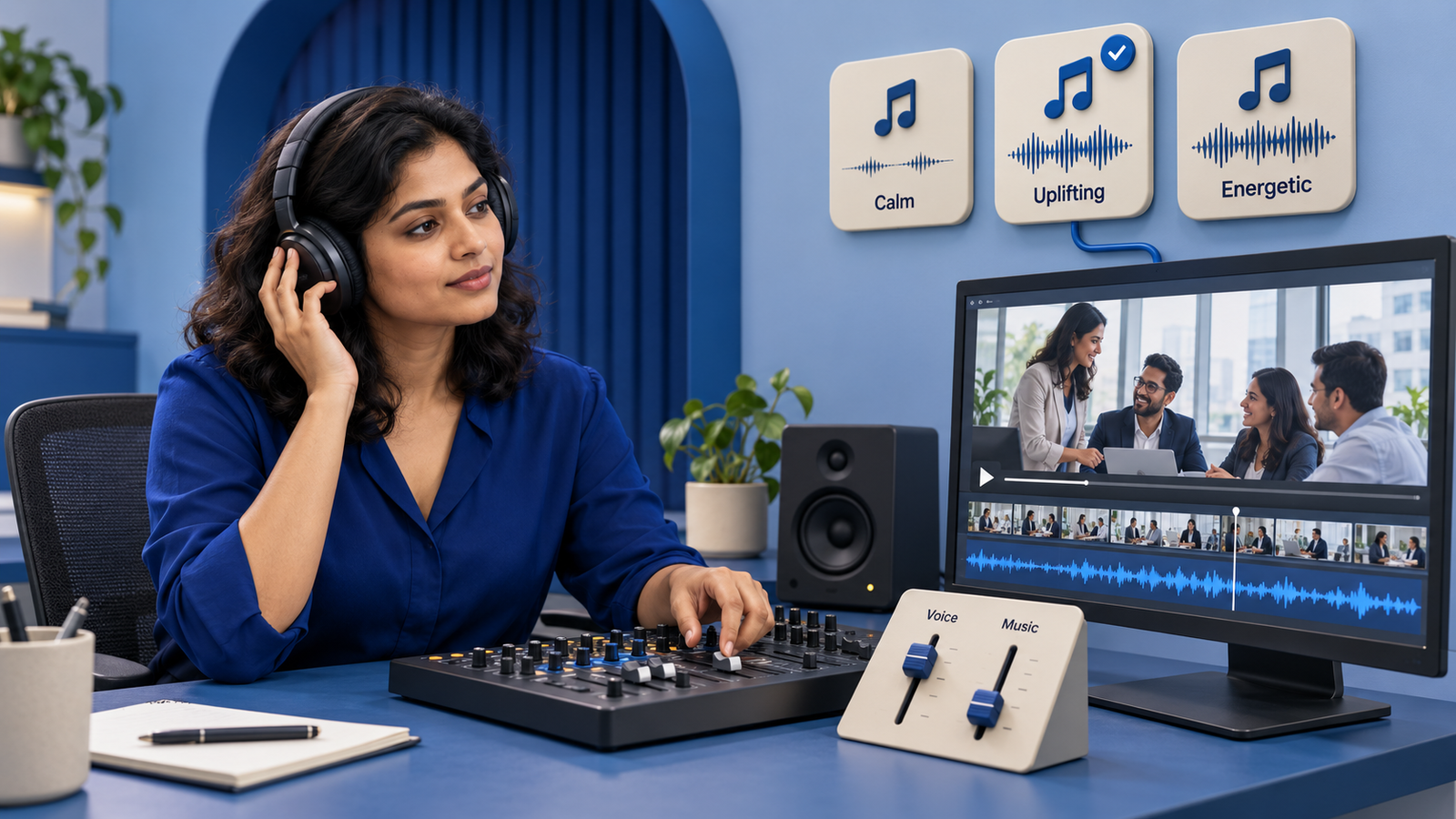
You choose the right background music for a corporate video by matching the track to the video's purpose, your brand personality and the pace of the edit, then making sure you have the legal right to use it. Music is not decoration you add at the end. It shapes how viewers feel about your company before they consciously register a single sentence. Get it right and a simple video feels polished and confident. Get it wrong and even expensive footage can feel flat, generic or oddly mismatched.
For Indian founders, marketing teams and startups producing videos on a budget, music is also one of the easiest places to make a costly mistake, both creatively and legally. This article walks through how to pick a track that works and how to stay on the right side of copyright.
Why Background Music Matters More Than You Think
Sound reaches people faster than visuals. A viewer forms an emotional impression of your video within the first few seconds, and music is doing much of that work. A warm acoustic bed signals approachability. A driving electronic track signals energy and momentum. A restrained piano line signals seriousness and trust.
Music also carries the edit. It hides small cuts, smooths transitions between scenes and gives a rhythm that keeps viewers watching. When the music and the visual pacing agree, the whole piece feels intentional. When they fight each other, viewers sense that something is off even if they cannot name it.
Match the Music to the Video's Purpose
The single most useful question to ask is simple. What should the viewer feel and do after watching? A recruitment film, an investor update and a product launch all call for different emotional registers. Start from intent, then choose sound.
Corporate and brand films
Brand films and company profiles usually benefit from music that feels confident but not loud. The goal is credibility, so the track should support the narration rather than compete with it. Cinematic beds with a slow build work well because they add a sense of growth and ambition without shouting.
Explainer and product videos
Explainer and product videos carry a lot of information, so the music needs to stay light and clear underneath a voice-over. Upbeat, uncluttered tracks help here. Anything with heavy melody or vocals will pull attention away from the message. If your explainer relies on a script and narration, treat the music as a quiet floor, not a feature.
Social and advertising cuts
Short social edits and ad films are different. Here the music can be bolder and more rhythmic because you are competing for attention in a crowded feed. Punchy tracks with a strong beat give short cuts the momentum they need. Many social videos are also watched on mute, so the music should reinforce the visuals rather than being the only thing that makes sense.
The Practical Checklist for Choosing a Track
Once you know the purpose, use a short set of criteria to narrow the options. A track that scores well on most of these is usually a safe choice.
- Mood fit. Does the emotion of the track match the message? Confident, calm, playful and urgent are all valid, but only one suits a given video.
- Tempo and pacing. Faster tempos suit quick cuts and energetic content. Slower tempos suit thoughtful, narration-led pieces.
- Space for voice. If there is narration or dialogue, the track should have room in the middle frequencies so words stay clear.
- Length and structure. A track with a clear intro, build and resolution is far easier to edit to picture than a flat loop.
- Brand consistency. Using a similar musical style across your videos builds a recognisable sonic identity over time.
- Distraction test. If you find yourself listening to the music instead of watching the video, it is probably too prominent.
Understand Music Licensing Before You Publish
This is where many businesses slip up. A track being easy to download does not mean you are allowed to use it. Popular commercial songs from well known artists are protected by copyright, and using them in a business video without the correct licence is infringement. Platforms such as YouTube use automated content matching that can detect copyrighted music, which may lead to your video being muted, blocked or having ads redirected to the rights holder. For a brand, that is both a legal risk and an embarrassing one.
Royalty-free music libraries
Royalty-free is the most practical route for most corporate videos. The term does not mean the music is free of cost. It means that after you obtain the licence, usually through a one-time payment or a subscription, you can use the track without paying a separate royalty for each use. Always read the specific licence, because terms vary on whether the music can be used in paid ads, across multiple videos or for clients.
Licensed and custom music
For a flagship brand film or a national campaign, some companies license a specific commercial track through a sync licence or commission original music. This gives you exclusivity and a sound no competitor can copy, though it costs more and takes longer to arrange. Original scoring is worth considering when the video is central to your brand and will be used for a long time.
What to avoid
- Pulling music from another video, film or streaming service.
- Assuming a track is fine to use just because it has no obvious owner.
- Using music marked for personal use only in a commercial video.
- Ignoring attribution requirements on tracks that ask for credit, such as some Creative Commons licences.
When in doubt, keep the licence document or receipt on file. If a question ever comes up, proof that you licensed the track properly settles it quickly.
A Simple Workflow for Getting Music Right
A repeatable process saves time and avoids last minute panic. Here is a practical order of steps a small marketing team can follow.
- Define the purpose and the feeling you want before you open any music library.
- Shortlist three to five licensed tracks that fit that brief.
- Lay each option under a rough cut of the video to hear it in context, not in isolation.
- Choose the track that best supports the visuals and any voice-over.
- Adjust levels so music sits below narration, and use fades at the start and end.
- Save the licence details alongside the project files.
Music is a post-production decision, so it works best when it is planned alongside the rest of your edit rather than bolted on at the finish. The same care that goes into colour grading and clean sound belongs in your music choice too. If your video features narration, balancing the track against a professional voice-over and clean location audio is what makes the final mix feel professional.
Frequently Asked Questions
Can I use popular songs in my company's video?
Not without the correct licence. Commercial songs are protected by copyright, and using one in a business video without permission is infringement. For most corporate videos, a properly licensed royalty-free track is the safer and more affordable choice.
What does royalty-free actually mean?
It means that once you have paid for and obtained the licence, you can use the track without paying an additional royalty every time the video is viewed or shared. It does not mean the music is free of charge or free of terms, so always check what the licence permits.
Should background music have vocals?
Usually not, if the video has narration or important dialogue. Lyrics compete with spoken words and split the viewer's attention. Instrumental tracks are the standard choice for videos that carry a message through voice-over.
How loud should the background music be?
Loud enough to set a mood, quiet enough that narration is always clear. A common approach is to keep music noticeably below the level of the voice, then lift it during sections with no speech, such as the opening or closing.
Is it worth commissioning original music?
For most videos, no. Royalty-free libraries cover the vast majority of needs well. Original music makes sense for a signature brand film or a long-running campaign where a unique, ownable sound adds real value.
Bringing It All Together
Choosing background music for a corporate video comes down to three things. Match the track to the video's purpose and your brand, make sure it leaves room for the message, and confirm you have the legal right to use it. Do those three well and music quietly lifts every video you produce. At Nimmio, music selection, mixing and licensing are handled as part of the edit, so your videos sound as considered as they look. If you are planning a corporate film, explainer or product video and want the sound to match the picture, our team can help you get it right from the first cut.
Let's continue to stay connected.
Discover more about high-performance web design. Follow us on Instagram and Facebook.